Dark Patterns Symbiosis Bright Patterns
Symbiosis ›

Bait and Switch and Unambiguous Choices

How to Apply

  • Write button labels that state the exact outcome, like “Start 7‑day trial”
  • Add short helper text under key actions explaining what happens next, including costs or changes
Dark Pattern

Bait and Switch

Open →

It misleads users into taking an action by promising a desirable result, but delivers an unexpected, less favorable outcome.

Bait and Switch
Illustration
Bait and Switch subverts the user’s expectation that their choice will result in a desired action, instead leading to an unexpected, undesirable outcome.

Contexts

  • checkout
  • settings

Harmed Goals

  • comprehension
  • control

Sources

Bright Pattern

Unambiguous Choices

Open →

Design options with simple, clear language so users know exactly what each action will do.
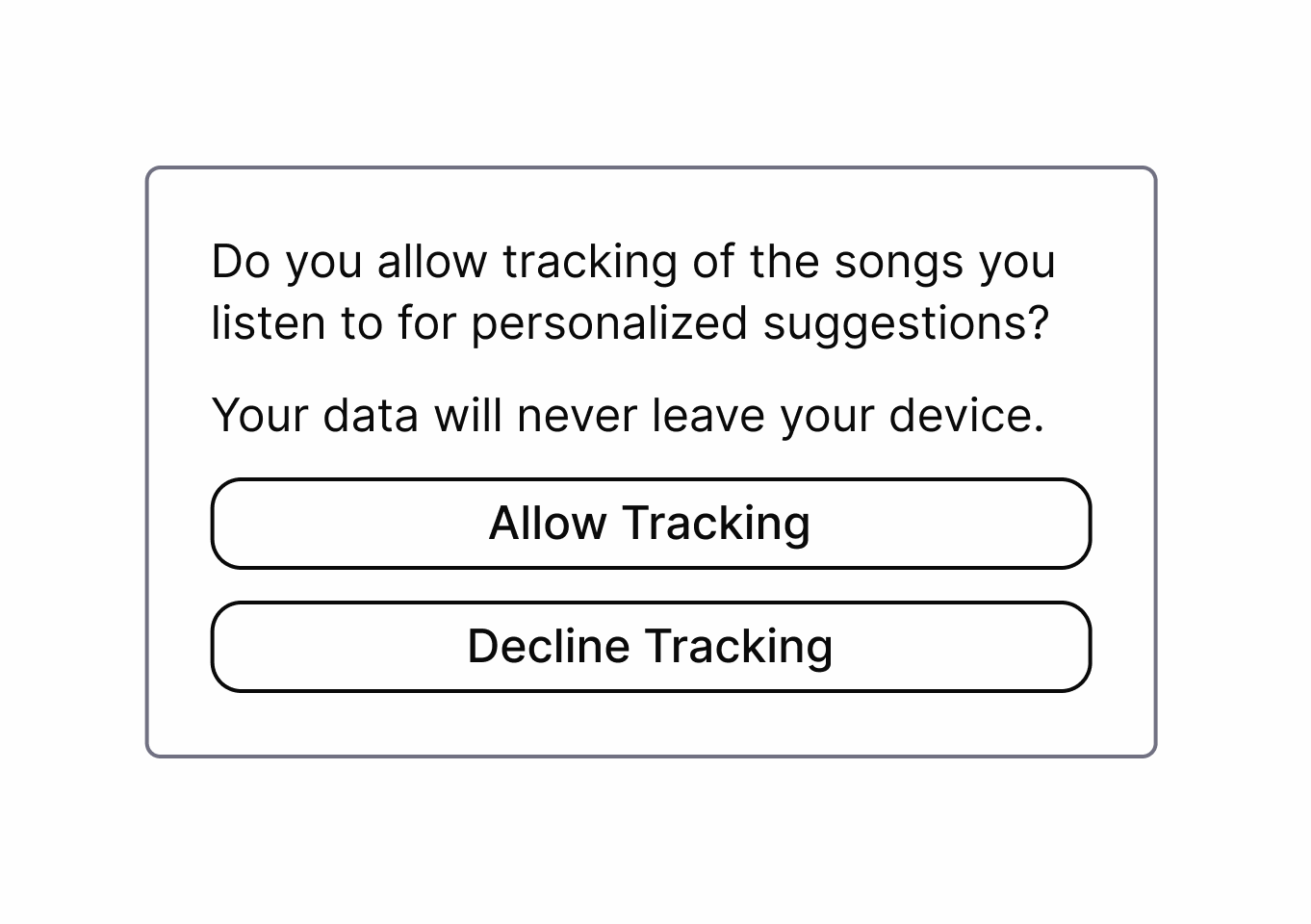
Unambiguous Choices
Illustration
Design options in for example forms and pop-ups with simple, clear language so users know exactly what each action will do. This eliminates confusing or misleading options and supports informed decision making.

Interaction Contexts

  • settings

Sources

Pattern Levels

High-Level Patterns Strategy Domain & Context Diagnostic (abstract)

High-level patterns include general strategies that can be employed through a range of modalities and technologies and application types

Meso-Level Patterns Angle of Attack Domain & Context Diagnostic (interpretable)

Meso-level patterns describe a context-agnostic angle of attack and may be interpreted in relation to context based on the specific modality or application type

Low-Level Patterns Means of Execution Domain & Context Specific (situated)

Low-level patterns are situated and contextually dependent, including specific means of execution

Diagram: High (strategy, diagnostic), Meso (angle of attack, still diagnostic), Low (means of execution, context specific). Integrated textual descriptions appear within each layer.

Source not found.

Approach: semantic vs flipping

Two different approaches to Bright Patterns:

1

Semantic Approach

This approach is used by Sandhaus. It defines concrete Bright Patterns for specific contexts — for example the Bright Pattern "Usage Limits", which describes an interface that restricts the usage time of a service to a healthy level.

2

Flipping Dark Patterns

The original way the term "Bright Pattern" was introduced: the direction of the manipulation is switched from harming the user to being user-friendly. For example, instead of highlighting the option that harms the user, the user-friendly option is highlighted.

Source:

How the Symbiosis Works

The symbiosis view connects dark patterns to bright alternatives

Dark Patterns match Bright Patterns

In the symbiosis view, each dark high/meso level pattern is paired with at least one matching bright pattern.

This view does not include low-level patterns, as these are implementation details. Refer to the related meso or high-level patterns for bright low-level alternatives.

Learn more about pattern levels in the pattern levels explainer.

Alternatives

Go into detail for each pair to see how a manipulative dark pattern can be replaced by an ethical bright pattern.

For that click on a pair in the symbiosis view to open its detail page. There you get a guide on how to apply the bright pattern and you can compare the bright pattern directly to the dark pattern.

Paul Bertram 2026
Impressum Datenschutz

Source not found.

Sources

A list of all sources used across the site. Click an entry to open the full reference.

Pattern Levels

High-Level Patterns Strategy Domain & Context Diagnostic (abstract)

High-level patterns include general strategies that can be employed through a range of modalities and technologies and application types

Meso-Level Patterns Angle of Attack Domain & Context Diagnostic (interpretable)

Meso-level patterns describe a context-agnostic angle of attack and may be interpreted in relation to context based on the specific modality or application type

Low-Level Patterns Means of Execution Domain & Context Specific (situated)

Low-level patterns are situated and contextually dependent, including specific means of execution

Diagram: High (strategy, diagnostic), Meso (angle of attack, still diagnostic), Low (means of execution, context specific). Integrated textual descriptions appear within each layer.